
Using PostGP
Social Media Post Checklist: What to Check Before You Schedule
November 6, 2026 · 7 min read
A scheduled post is a post you won't be watching when it goes out, so the checking has to happen before. This checklist covers what to verify for every post, then the rules that are specific to each network. Most items are things PostGP checks for you, and the page shows what you'll see when one fails.
Before you start: how the checks work
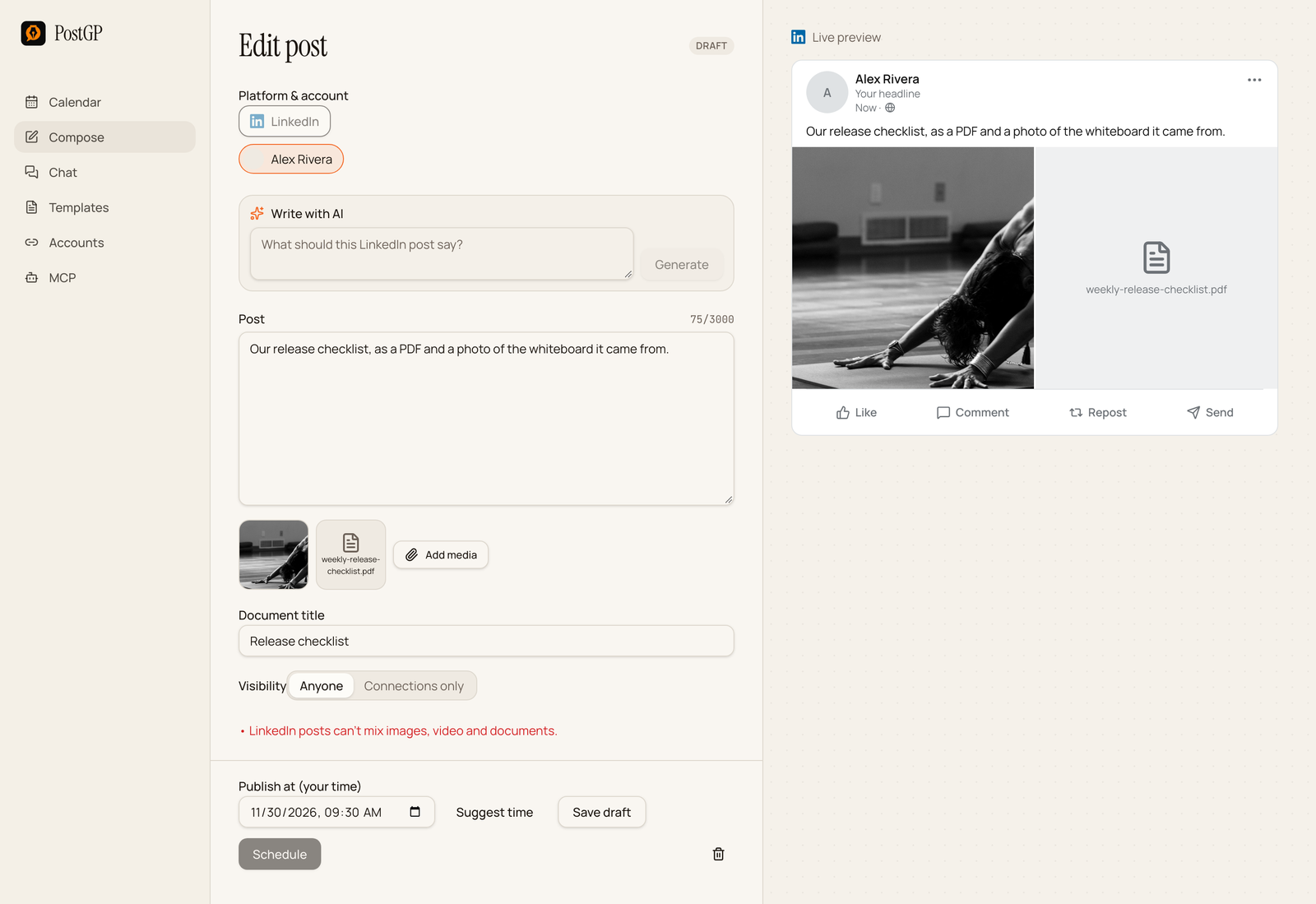
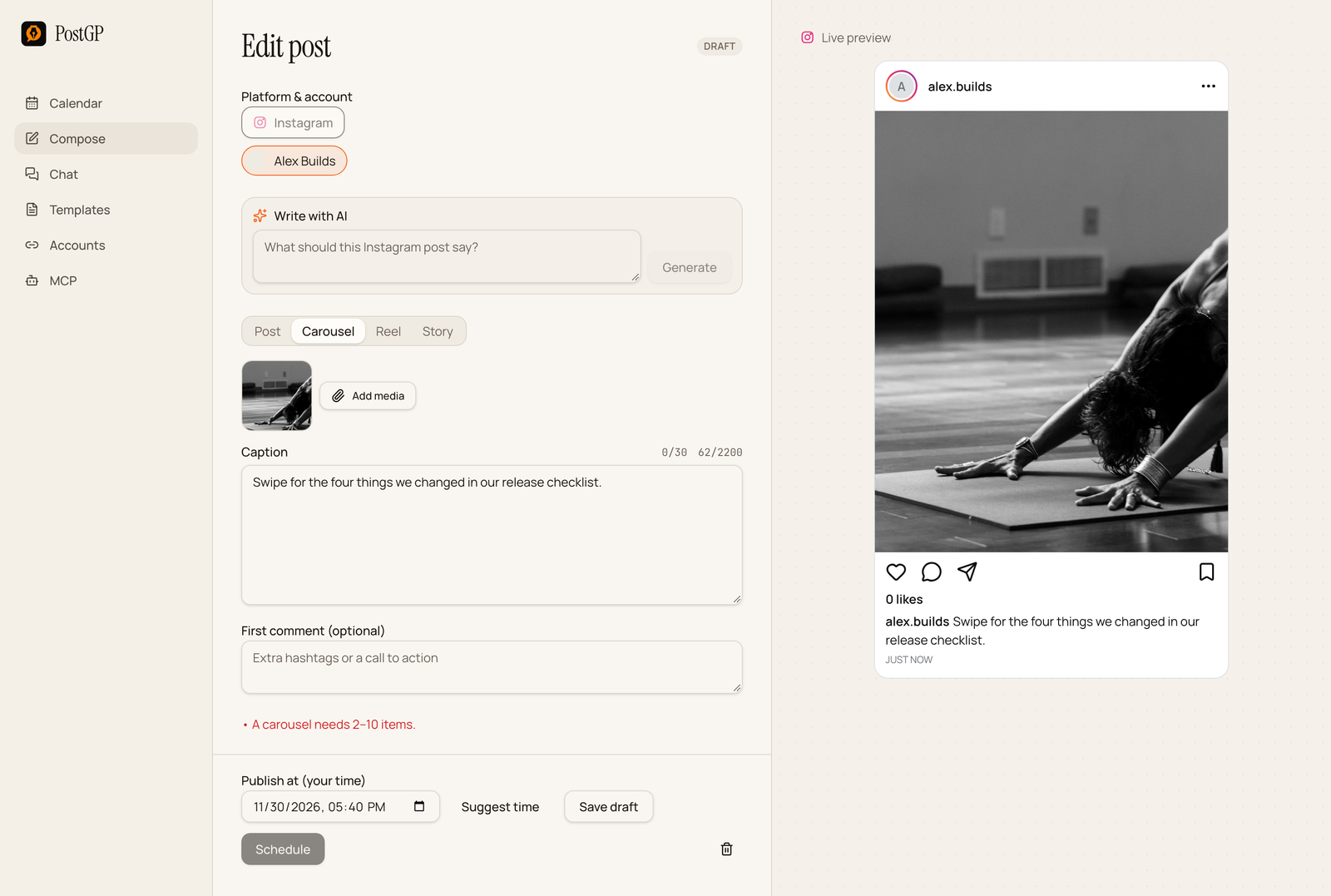
PostGP validates each post against the platform's rules as you write. A problem appears as a red message under the editor and the Schedule button stays disabled. A few issues are warnings instead: they show up but don't block scheduling, because the platform might still accept the post.
This list tells you what is worth checking yourself too, because a rule that passes isn't the same as a post that is good.
Checks for every post
- The right account is selected, and it shows as connected on the Accounts page.
- The first line works on its own. Most platforms cut text, and many readers only see the opening.
- Names, numbers, dates and links are correct. A scheduled post can't be corrected after it goes out.
- The preview looks right: line breaks, media order and the way text is cut.
- The publish time is in the future by at least 30 seconds, and in your own time zone.
- The time is at least four hours from your other scheduled posts. PostGP enforces this per user, across all accounts.
- You have read it once as a stranger would, without context.
The most common last-minute edit is the link. Click it, or paste it into a private window, before you schedule.
X checklist
| Check | Rule |
|---|---|
| Length of each post | 280 weighted characters. Links count as 23 and emoji as 2. |
| Thread length | Up to 25 posts. |
| Every post has content | Each post needs text or media. |
| Images | Up to 4 per post, 5 MB each. |
| GIF or video | Must be the only media in its post. GIF up to 15 MB, video up to 512 MB. |
| Long video | Over 2:20 needs X Premium on the posting account. PostGP shows a warning. |
| Documents | Not supported. |
LinkedIn checklist
| Check | Rule |
|---|---|
| Length | 3,000 characters. Only about the first 210 show before see more. |
| Content | Text, or media, or both. An empty post is blocked. |
| Media type | One kind per post: images, one video or one document. A mix is blocked. |
| Images | Up to 20, 36 MB each. |
| Video | One, up to 200 MB. |
| Document | One PDF, PowerPoint or Word file up to 100 MB, with a document title. |
| Visibility | Anyone or Connections only. |
Instagram checklist
| Check | Rule |
|---|---|
| Caption | Up to 2,200 characters, and no more than 30 hashtags. |
| Image format | JPEG only. PNG and WebP show a warning, and are rejected at publish time. |
| File size | Images under 8 MB, videos under 300 MB. |
| Feed post | Exactly one image or video. |
| Carousel | 2 to 10 items. |
| Reel | One video, up to 15 minutes. |
| Story | One image or one video up to 60 seconds. Captions aren't shown. |
| Account type | Creator or Business. |
Threads checklist
| Check | Rule |
|---|---|
| Length | 500 UTF-8 bytes. Emoji count as 4 bytes each. |
| Content | Text or media. An empty post is blocked. |
| Images | JPEG or PNG, 8 MB each, aspect ratio within 10:1. |
| Video | MP4 or MOV, up to 5 minutes and 200 MB. |
| Carousel | Up to 20 items. |
| Links | Up to 5 unique links. A link card needs a text-only post. |
| Topic tag | No periods, ampersands, semicolons or colons. |
The last 30 seconds
- Read the preview from top to bottom.
- Check the time and the account one more time.
- Press Schedule, then open the calendar and confirm the post appears at the right slot.
After a bulk session, review the calendar for the week. Gaps and clusters are easier to spot there than in the editor.
If something slips through
A post can still fail for reasons outside the checklist, such as an expired connection or a platform outage. PostGP retries temporary errors, stops on access and rejection errors, and shows the reason on the post. The troubleshooting guide covers each case and how to retry.
Frequently asked questions
- Does PostGP check my post before it is scheduled?
- Yes. It checks length, media types, sizes and counts for the platform, and keeps Schedule disabled while an error remains.
- What is the difference between an error and a warning?
- An error blocks scheduling. A warning, such as a PNG on Instagram, is shown but doesn't block, because the platform may still behave differently.
- Can I edit a post after scheduling it?
- Yes, until it publishes. Open it from the calendar, change it and press Update schedule.
- Why can't I schedule two posts close together?
- PostGP keeps at least four hours between posts from the same user, across all connected accounts.
Keep reading
- Using PostGPScheduled Post Failed or Not Publishing? How to Diagnose and Fix It
- PlatformsSocial Media Character Limits for X, LinkedIn, Instagram and Threads (2026)
- PlatformsSocial Media Image and Video Sizes for X, LinkedIn, Instagram and Threads
- Using PostGPScheduling, the Calendar and Suggested Times: How PostGP Plans Your Posts
Schedule your posts with PostGP
Plan Instagram, X, LinkedIn and Threads posts in one calendar.
Get started