
Platforms
Posting on X: Character Counting, Threads, Media Limits and Scheduling
November 4, 2026 · 7 min read
X looks like the simplest platform to schedule for, and it is where small rules cause the most surprises: links count as a fixed length, emoji count double, and a video can't share a post with images. This guide explains the rules PostGP checks for you, and how to use them to build threads that publish cleanly.
How X counts characters
A post is limited to 280 characters, but X does not count every character as one. PostGP uses the same weighted counting, so the counter in the editor matches what X will accept.
| What you type | How it is counted |
|---|---|
| Letters, digits and common punctuation | 1 each |
| Emoji and most Chinese, Japanese and Korean characters | 2 each |
| Any link, however long | A fixed 23, whatever its real length |
Because links are a flat 23, there is no reason to shorten URLs on X. Paste the full address and keep your characters for the message.
Build a thread
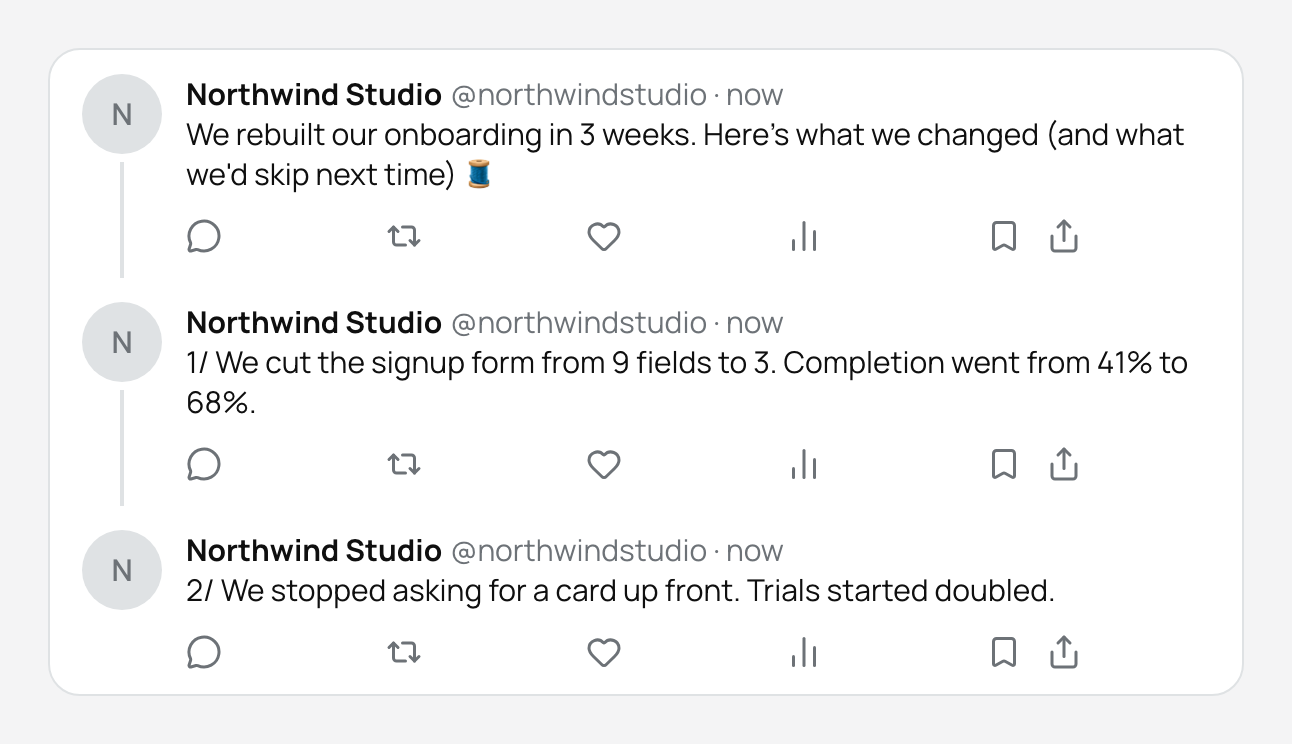
A thread is a chain of up to 25 posts published in order, each as a reply to the one before. In the editor you write each post in its own box and PostGP checks every one separately, so you see which post is too long instead of one vague error.
- Choose your X account and write the opening post. It decides whether anyone reads the rest, so lead with the result or the surprise.
- Add the next post. Keep each one to a single idea that stands on its own.
- Check the preview. The connector line shows the order exactly as followers will see it.
- Set the time and schedule. The whole thread goes out in one run, in order.
Media on X
Each post in a thread can have its own media, within the limits in the table. A video or GIF has to be alone in its post, so a thread that shows a screen recording followed by screenshots needs those in separate posts.
| Type | Limit per post | File size |
|---|---|---|
| Images | Up to 4 | 5 MB each |
| GIF | 1, and nothing else in the post | 15 MB |
| Video | 1, and nothing else in the post | 512 MB |
| Documents | Not supported | — |
Videos longer than 2 minutes 20 seconds are only accepted on accounts with X Premium. PostGP shows a warning rather than blocking the post, because the account's plan decides whether it publishes.
Control who can reply
Each X post has a reply setting. Everyone is the default. You can limit replies to accounts you mention, or to accounts you follow. It is worth setting before you schedule: you can't change who may reply to a post that is already published.
Common mistakes
- A thread post is over 280 weighted characters because of emoji. Cut an emoji or shorten the line.
- A post has no text and no media. Every post in the thread needs something.
- A video is combined with images. Move the images to another post.
- More than 25 posts. Split the content into two threads on different days.
Frequently asked questions
- Does a thread count as one post for scheduling?
- Yes. A thread is scheduled as a single item and published in order at the time you choose.
- What happens if one post in the thread fails?
- PostGP checks every post before the thread is scheduled, so limit problems are caught early. If publishing still fails at the platform, the post is marked failed and you can retry it from the calendar.
- Why was my post rejected even though the counter looks fine?
- Check the media rules first. A GIF or video mixed with other media, or an image over 5 MB, is rejected even when the text is within the limit.
Keep reading
Schedule your posts with PostGP
Plan Instagram, X, LinkedIn and Threads posts in one calendar.
Get started