
Platforms
How to Schedule Instagram Posts, Reels and Carousels (Step by Step)
November 6, 2026 · 8 min read
Instagram is the platform where a scheduled post most often fails for a boring reason: the wrong file type. This guide walks through scheduling each format in PostGP, with a checklist to run before you press Schedule so the post goes out on time.
What you need first
Scheduling to Instagram has two requirements that other networks don't:
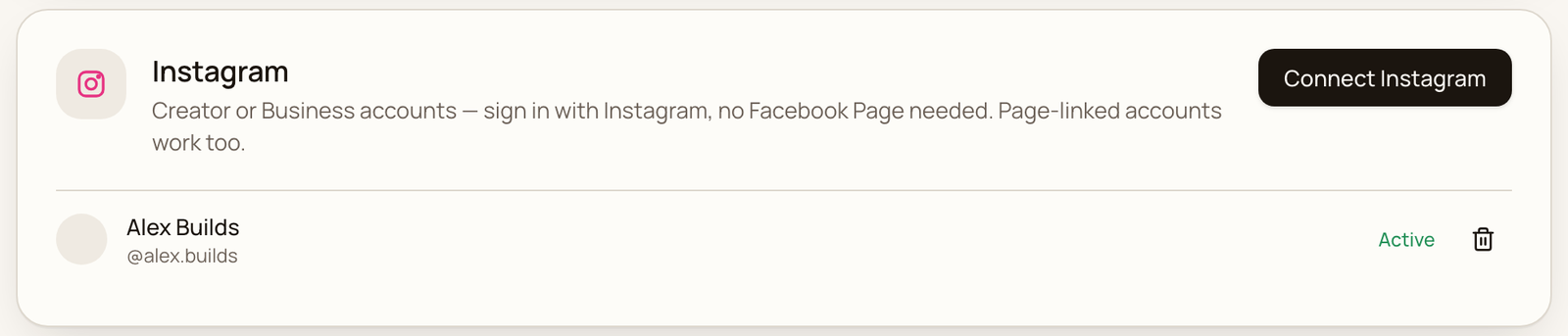
- An Instagram Creator or Business account. Personal accounts can't publish through Instagram's API. Switching is free in the Instagram app and keeps your followers.
- A connected account in PostGP. You can connect directly with Instagram, without a Facebook Page.
Not set up yet? Follow the guide on scheduling Instagram posts without a Facebook Page, then come back here.
Pick the right format
Choose the format first, because the editor changes its rules to match.
| Format | What you attach | Best for |
|---|---|---|
| Post | One image or one video | A single photo or clip with a caption |
| Carousel | 2 to 10 images or videos | Step-by-step posts, photo sets, before and after |
| Reel | One video, up to 15 minutes | Short vertical video that can reach people who don't follow you |
| Story | One image, or a video up to 60 seconds | Time-sensitive updates. Stories don't show captions |
Schedule a feed post or carousel
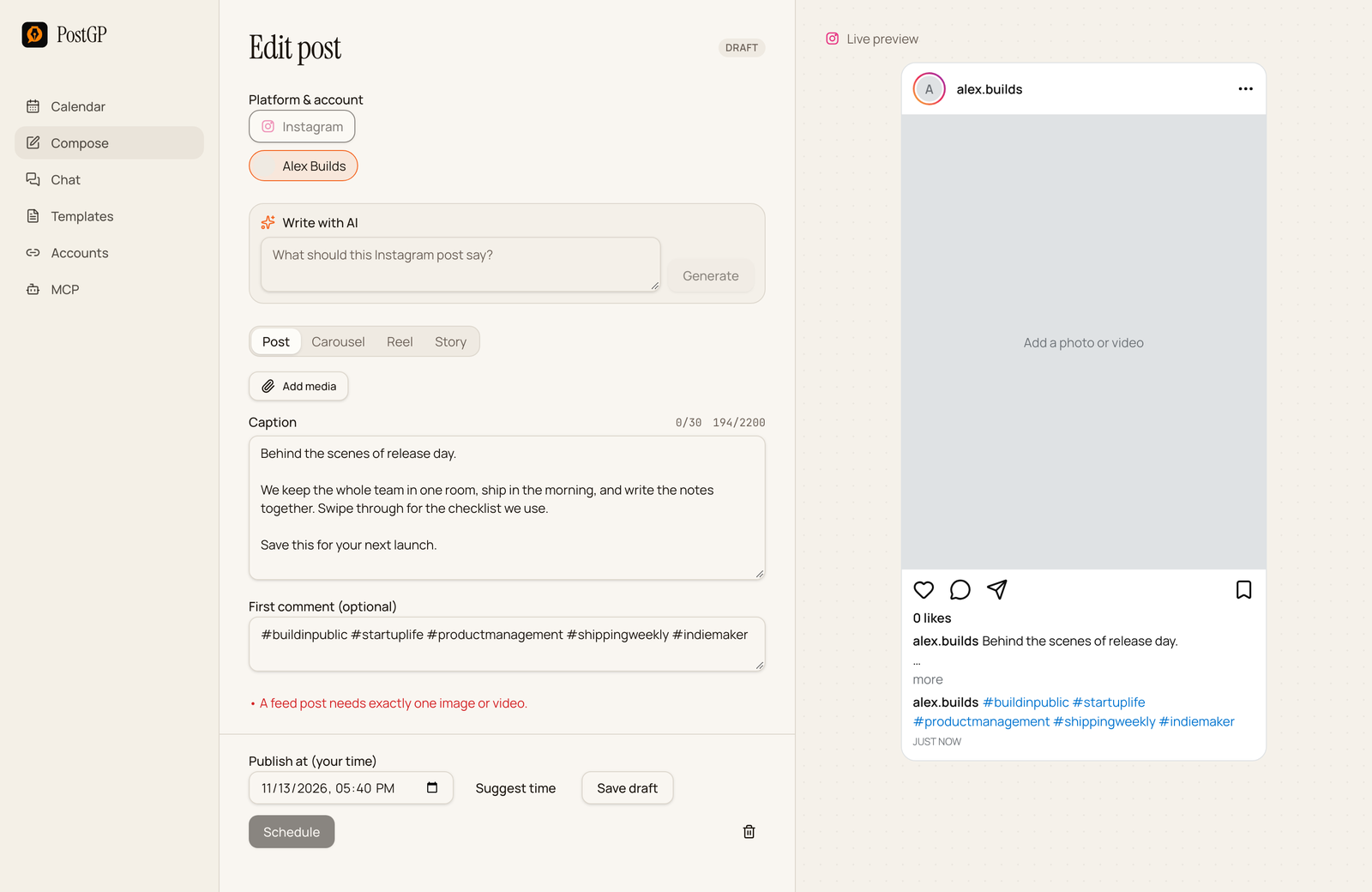
- Open Compose, choose Instagram and your account.
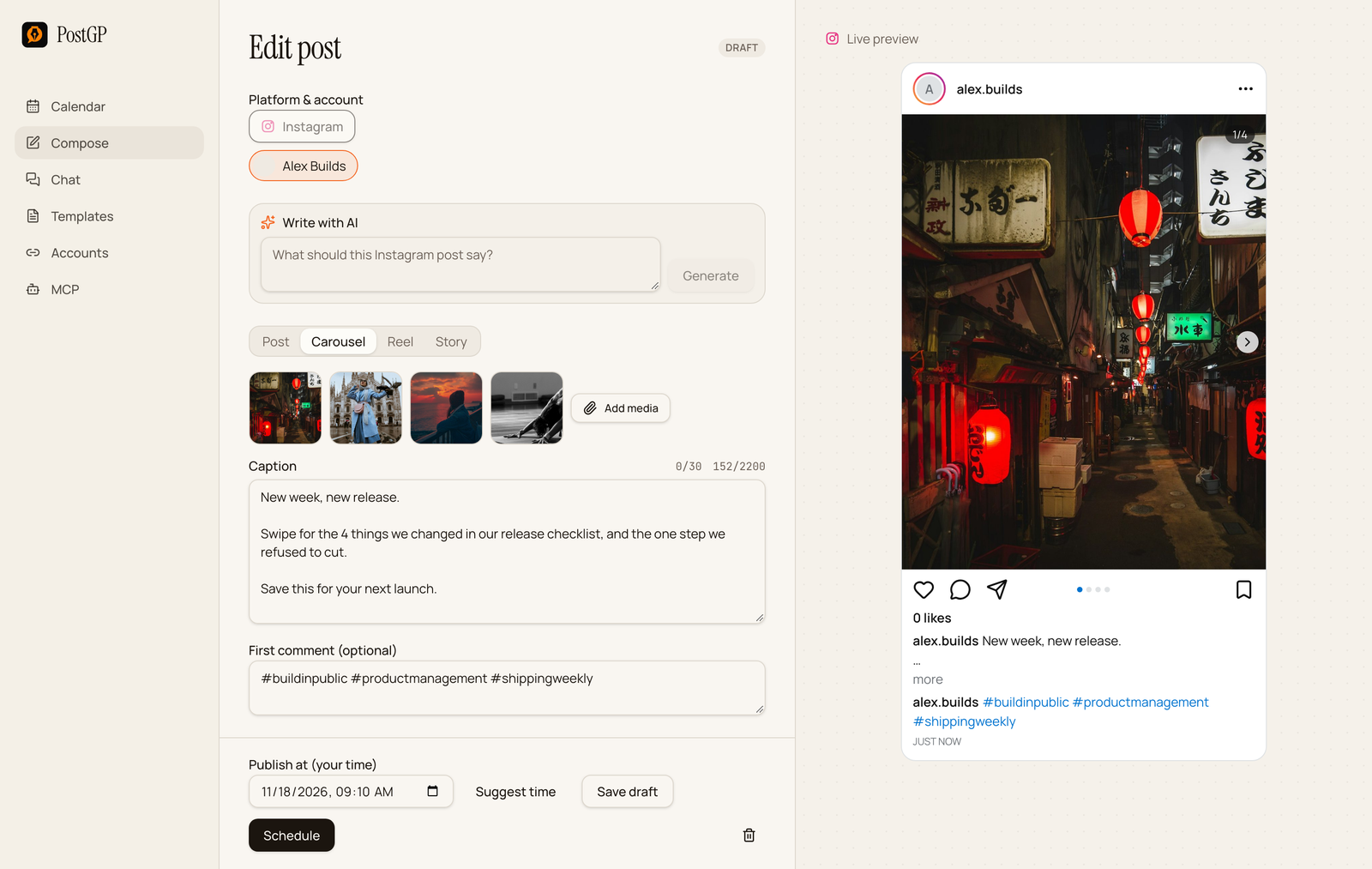
- Pick Post or Carousel at the top of the editor.
- Add your images. They must be JPEG and under 8 MB each. A carousel takes 2 to 10 items, and you can reorder them.
- Write the caption and, if you want, the first comment.
- Set the time with Publish at or Suggest time.
- Press Schedule.
The preview has a slide counter and arrows, so you can check the order the same way followers will swipe it.
Schedule a Reel
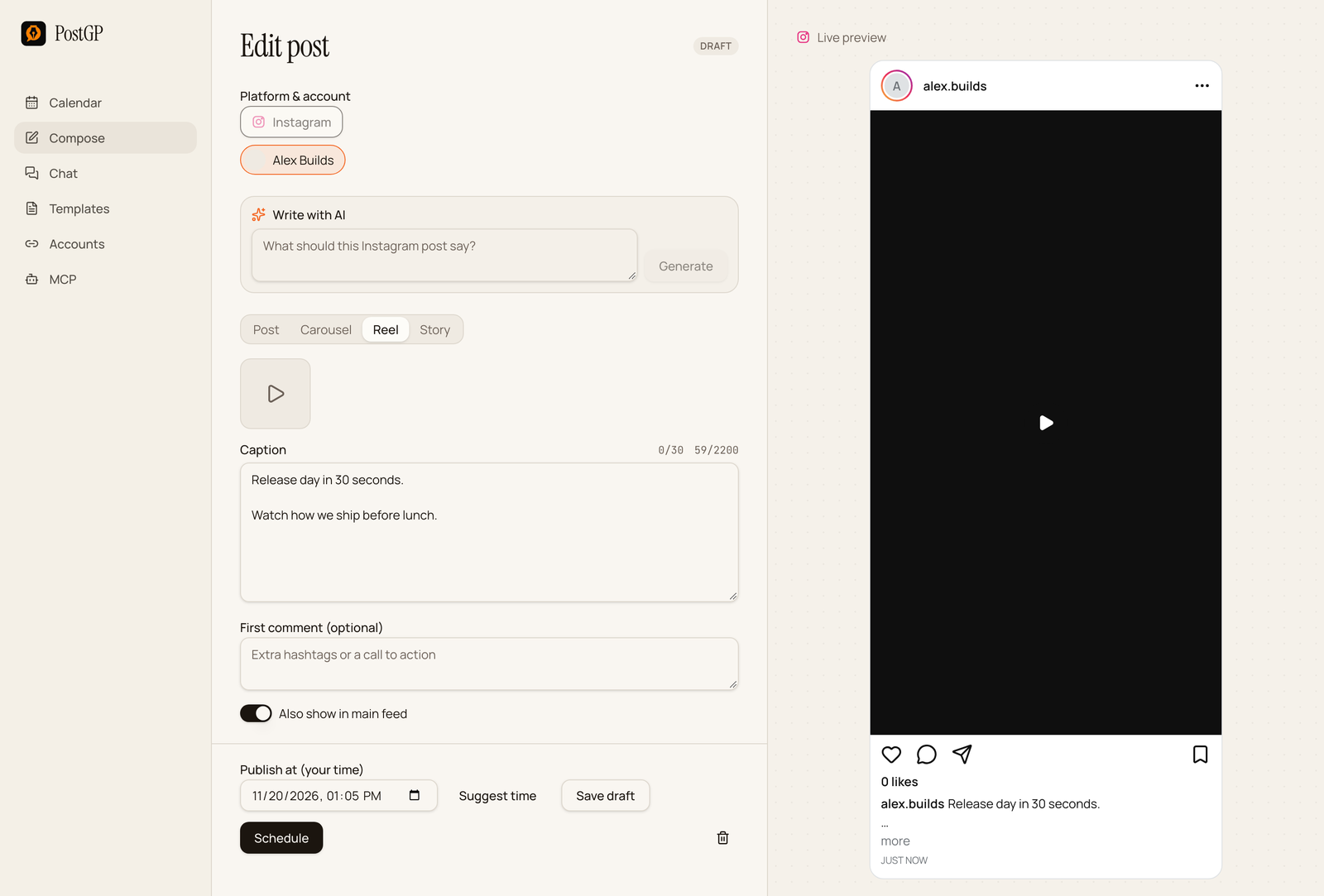
A Reel needs exactly one video, as MP4 or MOV, up to 300 MB and 15 minutes. Vertical 9:16 fills the screen, and Instagram will still publish other shapes.
The switch Also show in main feed controls where it appears. On means it shows in your profile grid and your followers' feeds as well as the Reels tab. Off keeps it in the Reels tab only.
Audio has to be in the video file already. Music can't be added through Instagram's publishing API.
Schedule a Story
Choose Story, then add one image or one video up to 60 seconds. The caption and first comment fields disappear because Stories don't show captions, and PostGP warns you if you try to keep one.
Avoid the JPEG trap
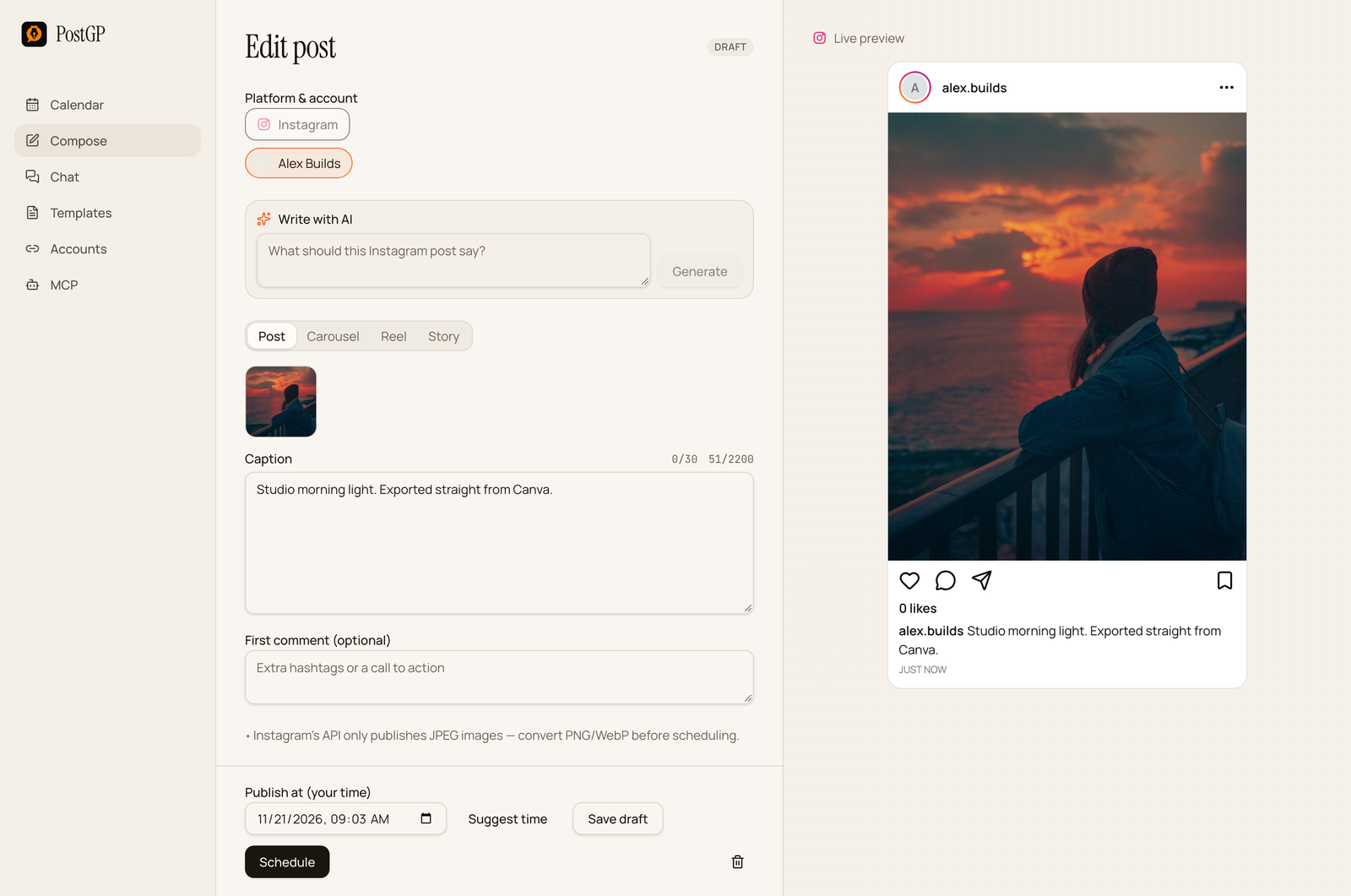
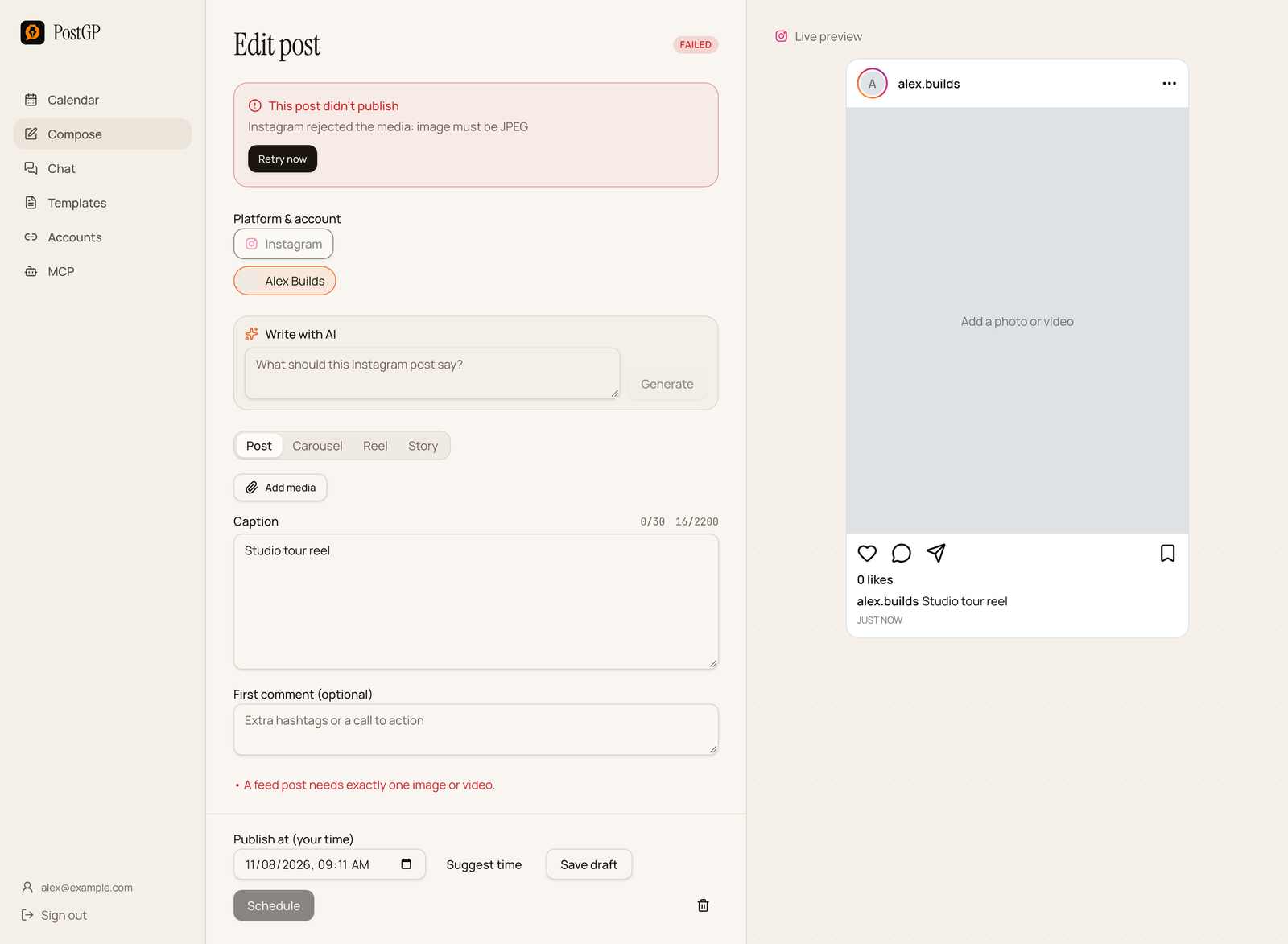
Instagram's publishing API accepts JPEG images only. Screenshots, exports from design tools and many phone photos are PNG or WebP, and those will be rejected at publish time even though they upload fine.
PostGP shows a warning as soon as you add one. Convert the file to JPEG first. Most design tools have a JPEG option in their export menu, and any image editor can re-save the file.
Caption, hashtags and the first comment
Captions can be 2,200 characters and carry at most 30 hashtags. Only the first lines show before “more”, so open with the part you want read.
The First comment field is optional. PostGP publishes it right after the post goes live, which makes it a clean place for extra hashtags or a pointer to the link in your bio. The full guide on Instagram captions covers structure and hashtag choice.
Before you press Schedule: a checklist
- Every image is a JPEG under 8 MB, and any video is under 300 MB.
- The format matches the files: one item for a Post, 2 to 10 for a Carousel, one video for a Reel.
- The first line of the caption works on its own.
- Hashtags are 30 or fewer.
- The time is at least four hours from your other scheduled posts.
If an Instagram post fails
Open the post and read the reason at the top. Fix it, then press Retry now.
| Reason | Fix |
|---|---|
| Image must be JPEG | Convert the file to JPEG, replace it in the post and retry. |
| File too large | Keep images under 8 MB and videos under 300 MB. |
| Wrong number of items | One for a Post, 2 to 10 for a Carousel, one video for a Reel. |
| Account needs reconnecting | Reconnect Instagram on the Accounts page. |
Frequently asked questions
- Can I schedule Instagram posts from a personal account?
- No. Instagram only allows publishing through its API for Creator and Business accounts. Switching is free.
- Can I schedule Reels?
- Yes. Attach one video of up to 15 minutes, choose Reel, and decide whether it also shows in the main feed.
- Can I schedule a carousel?
- Yes. Choose Carousel and add 2 to 10 images or videos. Images must be JPEG.
- Why was my image rejected?
- Instagram's API only accepts JPEG images. Convert PNG or WebP files to JPEG before scheduling.
- Can I add music to a scheduled Reel?
- Not through the API. Put the audio in the video file before you upload it.
- Do I need a Facebook Page?
- No. PostGP supports connecting directly with Instagram.
Keep reading
- PlatformsPosting on Instagram: Feed Posts, Carousels, Reels and Stories Explained
- PlatformsInstagram Captions, Hashtags and the First Comment: What to Write and Where to Put It
- Getting startedHow to Schedule Instagram Posts Without a Facebook Page
- PlatformsSocial Media Image and Video Sizes for X, LinkedIn, Instagram and Threads
Schedule your posts with PostGP
Plan Instagram, X, LinkedIn and Threads posts in one calendar.
Get started